
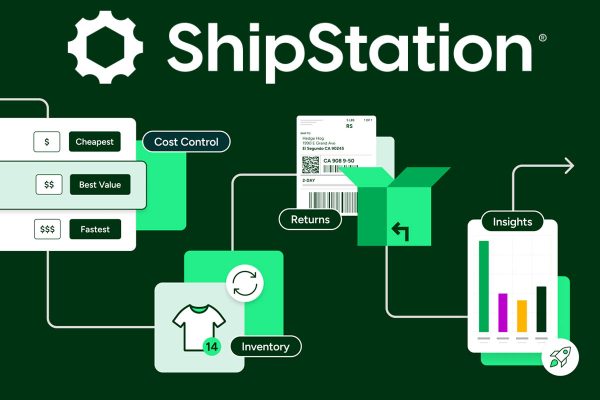
In today’s e-commerce world, fast and accurate shipping can determine whether your business thrives or struggles. Once your order volume reaches a certain level, manual fulfillment becomes inefficient and error-prone. That’s where the ShipStation API proves valuable. It gives developers and businesses direct access to ShipStation’s automation engine—helping streamline fulfillment, reduce mistakes, and support scalable growth. This guide breaks down what the API does, how to use it, and why it may be the solution your business needs.
🔧 What Is the ShipStation API?
The ShipStation API is a REST-based interface that connects your store, warehouse system, or custom application to ShipStation’s shipping capabilities. Instead of relying only on the web dashboard, the API lets you automate critical tasks such as:
-
Pulling in new orders
-
Creating and printing shipping labels
-
Tracking shipments in real time
-
Managing warehouses and carriers
-
Retrieving customer and order information
🛠️ Who the API Is Designed For
-
Online stores using Shopify, WooCommerce, BigCommerce, and similar platforms
-
Developers building custom order or fulfillment tools
-
3PLs and warehouses handling large shipment volumes
-
SaaS platforms that offer shipping or inventory features
🔄 Standout Features of the ShipStation API
1. Order Management
-
Import orders from any system
-
Mark orders as shipped
-
Add tags or internal notes
-
Update multiple orders at once
2. Automated Label Generation
-
Produce shipping labels through code
-
Compare shipping rates from multiple carriers
-
Support for international shipping and customs documentation
3. Shipment Tracking
-
Access live tracking updates
-
Notify customers automatically
-
Sync tracking with CRMs or support software
4. Inventory & Warehouse Tools
-
View or sync stock levels
-
Assign or manage warehouse locations
-
Connect multiple selling channels
5. Carrier & Rate Shopping
-
Pull real-time rates from USPS, UPS, FedEx, DHL, and more
-
Automatically choose the fastest or cheapest option based on rules
🧰 How to Start Using the ShipStation API
Step 1: Generate API Credentials
-
Log in to ShipStation
-
Go to Account Settings → API Settings
-
Create your API Key and Secret
Step 2: Make Your First API Request
Use Postman, Curl, or any backend language like Node.js, PHP, or Python.
Example: Get a list of all orders
Step 3: Use SDKs (Optional)
While unofficial, developers have created helper libraries for:
-
Python
-
PHP
-
JavaScript
-
.NET
These simplify error handling and reduce boilerplate code.
🔐 Authentication: Simple & Secure
The API uses Basic Authentication with a Base64-encoded key and secret. OAuth isn’t required unless you’re building a multi-user integration.
Tip: Store credentials in environment variables—not in your code.
✅ Practical Use Cases
📦 1. Automated Label Workflows
A store processing hundreds of daily orders uses a scheduled script to fetch new orders, generate labels, and send PDFs to a printer automatically.
🌎 2. Unified Multi-Channel Fulfillment
A business selling on Amazon, Shopify, and Etsy pulls all orders into a single system, assigns warehouses, and syncs tracking everywhere.
🧾 3. Data Reporting & Analytics
An analyst exports shipping and order data via API directly into spreadsheets or analytics dashboards for daily performance monitoring.
⚙️ Common API Endpoints
| Function | Endpoint |
|---|---|
| Fetch Orders | /orders |
| Create Label | /shipments/createlabel |
| Get Tracking Data | /shipments |
| List Carriers | /carriers |
| Get Shipping Rates | /shipments/getrates |
| Create Warehouse | /warehouses/create |
(Full documentation available in the official ShipStation API docs.)
⚠️ Important Things to Keep in Mind
-
Rate limits: 40 requests per minute—batch large requests.
-
Pagination: Many endpoints return results in pages of 100.
-
Time zones: Align timestamps with your system.
-
Errors: ShipStation provides descriptive error messages—use them for debugging.
🤖 Integration Ideas
-
Automate workflows with Zapier
-
Create webhook listeners to trigger events
-
Build real-time inventory syncing tools
-
Send shipment alerts to a Slack channel
🧠 Final Verdict: Is the ShipStation API Worth It?
If your e-commerce business is scaling, the ShipStation API offers the automation power you need without rebuilding a shipping system from scratch. It saves time, eliminates repetitive work, lowers fulfillment errors, and gives developers flexibility to integrate ShipStation however they want.
With carriers, rules, customs, and tracking already handled, all you need to do is plug your system in.
👉 Ready to Streamline Your Fulfillment?
Start integrating the ShipStation API today and automate the parts of your workflow that shouldn’t be manual anymore.
FAQs
1. Do I need a developer to use the API?
Yes. You’ll need technical knowledge or the ability to make REST API calls.
2. Is API access free?
There’s no extra charge, but you must have an active ShipStation subscription.
3. Can I manage multiple stores with one integration?
Absolutely—you can pull orders from several channels into one system.
4. Is there a sandbox environment?
ShipStation uses live data, so testing should be done with caution.
5. What if I exceed the rate limit?
You’ll receive a 429 error. Wait about a minute for the limit to reset.